
Springfield, Massachusetts
Computer Repair & IT Support in Springfield, MA
I am a fully mobile service, so I come to your home or office in Springfield. Nothing gets unplugged, nothing goes in the trunk of your car, and nothing sits on a shelf in a shop for a week waiting its turn.
- A+, Network+ and Security+ certified
- Serving the area since 2008
- No travel charge in Springfield
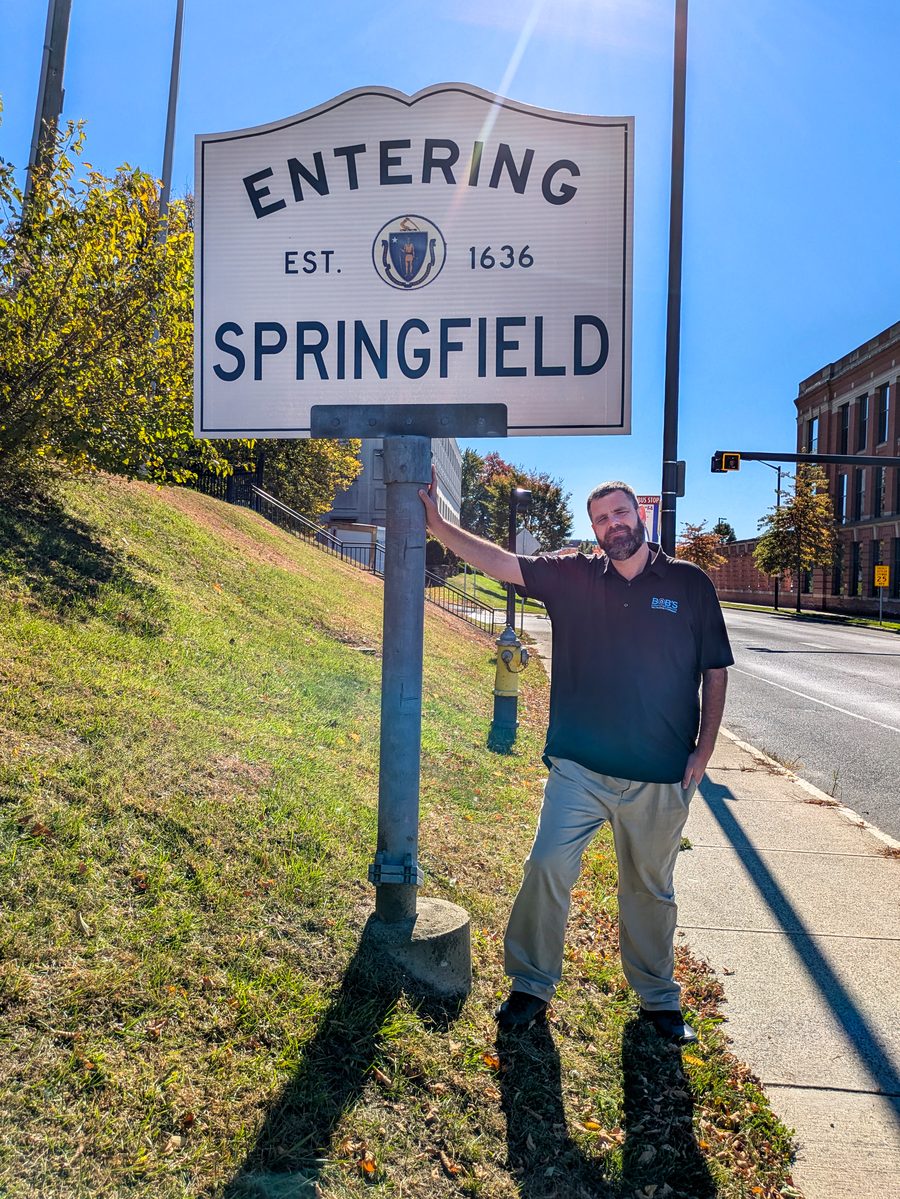
What a Springfield visit looks like
You do not have to take the computer anywhere
From downtown Springfield and Forest Park to Sixteen Acres and the Boston Road corridor, Bob's Computer Service provides professional onsite computer repair and IT support for homeowners and small businesses throughout the entire city. Whether you're dealing with a slow computer, unreliable WiFi, network issues, or business technology problems, I bring experienced, personalized service directly to your location. You get practical solutions without leaving your home or office, with no additional travel charge.
Springfield at a glance
- Drive timeAbout 10 to 30 minutes from my office
- SchedulingSame day is sometimes possible. 24 to 48 hours is the realistic expectation.
- Travel chargeNone for Springfield
- HoursMonday through Friday, 10:00 AM to 5:00 PM
Work I have done in town
How I’ve Helped Customers in Springfield
Two recent calls, described the way they happened.
Modernizing a Downtown Springfield Law Office With Better Computers and Security
A law firm in downtown Springfield relied on aging computers and networking equipment that had become slow, outdated, and increasingly difficult for employees to use. Their computers were running Windows 10 Home, and they wanted to modernize the office, improve security, and stay within a reasonable budget.
After evaluating their needs, I recommended high quality refurbished business computers running Windows 11 Pro. These systems offered better performance and supported the business management and security features the firm needed, without the cost of purchasing brand-new computers.
I handled the entire transition, including transferring important files and data, configuring the replacement computers, and reconnecting office printers. I also replaced their older consumer grade router with a more capable business grade model that offered improved network security and management options.
Protecting the firm's sensitive client information was another important part of the project. I installed antivirus protection, configured automatic updates, enabled encryption, and established a backup system. I also tested the backups to verify that we could recover important information if needed. These specific security measures, rather than the Windows edition alone, helped provide better protection for the office.
Throughout the upgrade, I worked to minimize disruptions so the attorneys and staff could continue serving their clients. Before finishing, I verified that the computers, printers, network connections, and other essential systems were functioning properly.
The firm ended up with faster computers, a more reliable network, stronger security, and tested backups, all while staying comfortably within its budget. By choosing refurbished business computers and upgrading only the equipment that needed replacing, the firm avoided unnecessary hardware purchases while creating a more dependable technology environment for everyday operations.
Restoring Server Access for a Springfield Accounting Firm
An accounting firm near Boston Road in Springfield was experiencing a network problem that prevented employees from accessing important client files stored on their office server. Although the computers were functioning, the staff could no longer access the information they needed throughout the workday, disrupting normal business operations.
I began troubleshooting the connection between the workstations and the server to determine whether the problem involved the network, the server itself, or Windows file sharing. After checking network connectivity and reviewing the server's configuration, I narrowed the issue to file sharing and authentication settings.
I reviewed the affected sharing configuration, user access permissions, and Windows authentication settings, then made the necessary corrections to restore access without replacing any equipment.
After resolving the issue, I tested connections from the office computers to confirm employees could access their shared folders and client information. I also confirmed that the server and network were communicating properly before finishing the job.
With access restored, the accounting firm returned to its normal workflow without unnecessary equipment purchases or additional expenses. What initially appeared to be a major server problem was resolved through careful troubleshooting and targeted configuration changes.
Services in Springfield
What I can help with
Network setup and Wi-Fi
Dead spots, slow corners of the house, a router that needs replacing or moving.
More about networksData backup and recovery
Getting files off a failing drive or an old computer, and setting up a backup so it does not happen twice.
More about backup and recoveryOnsite repair and support
The computer stays where it is. I come to it, find the fault, and fix it where it sits.
More about onsite repairVirus and malware removal
Pop ups, browser hijacks, and the fake warning screens that tell you to call a number.
More about malware removalEmail and Microsoft 365
Mail that will not send, an account that will not sync, a new device that needs setting up.
More about email supportRemote support
Some problems do not need a visit at all, and those can be handled remotely.
More about remote supportSpringfield questions
Things people here ask before they call
Do you actually come to Springfield, or do I bring it to you?
I come to you. Bob's Computer Service is fully mobile, with no shop to drive to and no counter to wait at. I have been doing mobile computer repair in the area since 2008.
Is there a travel charge for Springfield?
No. There is no additional travel charge for Springfield.
How fast can you get here?
From my office in Springfield, Springfield is usually about 10 to 30 minutes away. Depending on availability, I can sometimes get there the same day, but 24 to 48 hours is a more realistic expectation.
Do you work with businesses in Springfield, or only homes?
Both. I work with small businesses and with homes and home offices.
What are your hours?
Monday through Friday, 10:00 AM to 5:00 PM. Call (413) 204-8339 or email info@bobscomputerrepairs.com.
Also serving
Towns near Springfield
Springfield sits at the center of my service area. Chicopee is to the north, Ludlow and Wilbraham are to the east, Longmeadow and East Longmeadow are to the south, and West Springfield and Agawam are across the Connecticut River. I make house and office calls in all of them, and in these nearby towns too.
Onsite Computer Service in Springfield
Springfield is approximately 10 to 30 minutes from my office, depending on where in the city you are located.
Same day appointments are sometimes possible depending on my schedule, although scheduling within 24 to 48 hours is a more realistic expectation. You can schedule appointments by email or by calling the office and speaking with my office manager, Felicia.
There is no additional travel charge for onsite service in Springfield.