
Chicopee, Massachusetts
Computer Repair & IT Support in Chicopee, MA
I am a fully mobile service, so I come to your home or office in Chicopee. Nothing gets unplugged, nothing goes in the trunk of your car, and nothing sits on a shelf in a shop for a week waiting its turn.
- A+, Network+ and Security+ certified
- Serving the area since 2008
- No travel charge in Chicopee
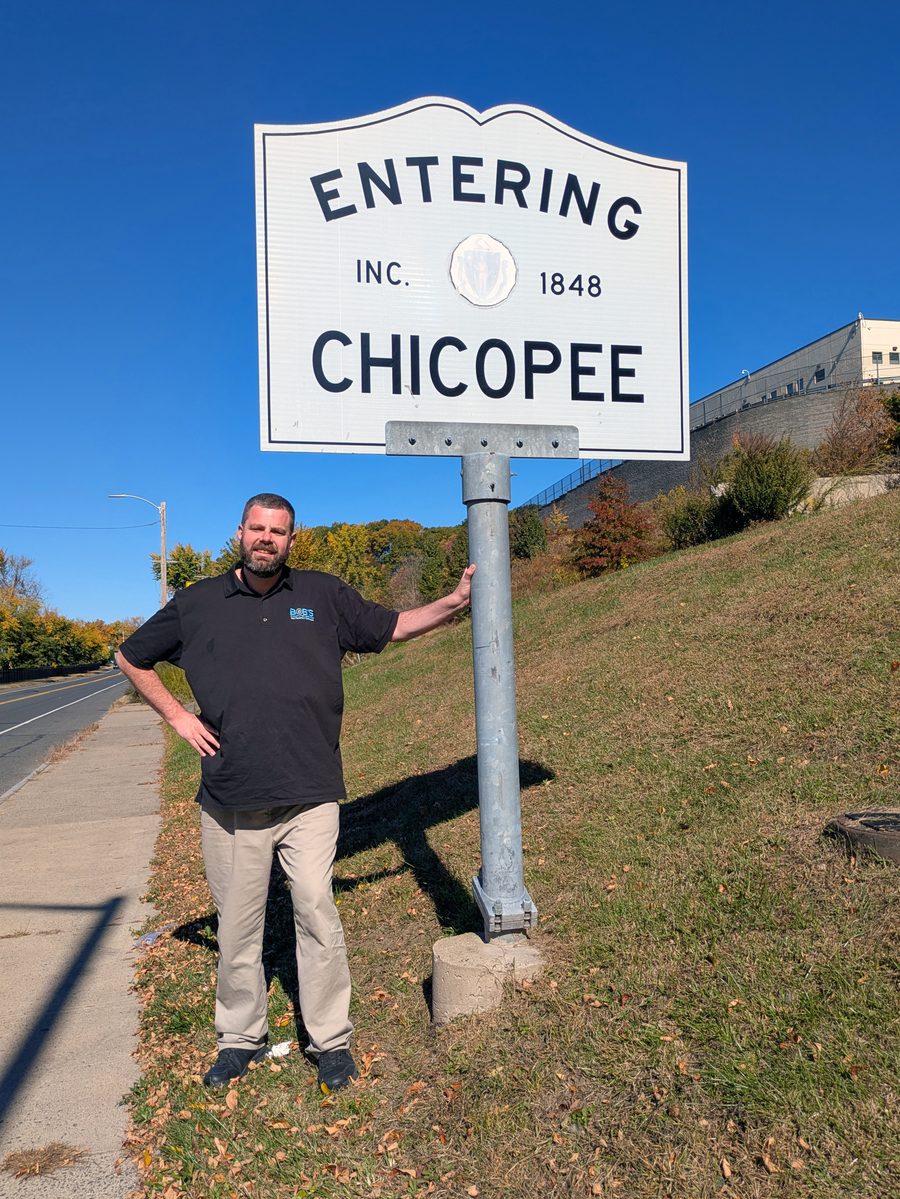
What a Chicopee visit looks like
You do not have to take the computer anywhere
Bob's Computer Service provides professional onsite computer repair and IT support throughout Chicopee, including Chicopee Center, the Memorial Drive area, and neighborhoods near Westover. From resolving business email issues and keeping essential software running to improving home Wi-Fi and troubleshooting computers, I provide reliable, personalized technology solutions for local residents and businesses, with no additional travel fees.
Chicopee at a glance
- Drive timeAbout 20 to 25 minutes from my office
- SchedulingSame day is sometimes possible. 24 to 48 hours is the realistic expectation.
- Travel chargeNone for Chicopee
- HoursMonday through Friday, 10:00 AM to 5:00 PM
Work I have done in town
How I’ve Helped Customers in Chicopee
Two recent calls, described the way they happened.
Chicopee Business Email Delivery Problems Resolved with Proper Email Security
A business in Chicopee Center was experiencing ongoing email problems. Messages frequently bounced back, leaving employees unsure whether important communications were reaching customers.
After investigating their email configuration, I found that several essential email authentication records, including SPF, DKIM, and DMARC, were not properly configured. These settings help receiving email providers, including Gmail, verify legitimate messages and protect against email spoofing. Missing or incorrect records can also contribute to email delivery problems.
I reviewed the business's email configuration, developed a plan to correct the issues, and implemented the necessary DNS and security settings. After testing the changes and verifying that email was being delivered properly, the bounce back problems were resolved.
The business could once again communicate reliably with its customers, while also benefiting from stronger email security. What initially seemed like a frustrating email problem became an opportunity to improve both reliability and protection.
Preserving 25-Year-Old Business Software with Virtualization in Chicopee
A business owner near Westover in Chicopee depended on specialized software that was nearly 25 years old. Although the program was essential to his daily operations, it could no longer run on modern versions of Windows. Replacing the software wasn't practical, but relying on aging hardware raised concerns about reliability and security.
After evaluating his existing system and business requirements, I developed a solution using virtualization technology. I converted his original computer into a virtual machine, allowing the older operating system and essential business software to run on a modern computer.
Security was a major part of the project. Because older operating systems no longer receive important security updates, I configured the virtual machine to prevent direct internet access while still allowing it to communicate with the customer's network printer. I also restricted the older system's access to the modern computer hosting it and made sure the newer computer was properly updated and secured.
To protect the business against hardware failure or data loss, I created two separate backups of the virtual machine on USB drives. These backups could be stored offsite or in a secure location, such as a safe deposit box. If the computer ever failed, the virtual machine could be restored to another compatible computer, helping the business get back to work without losing access to its critical software.
The result was a practical, reliable solution that preserved an essential business application while reducing the security risks associated with outdated technology. The customer could continue using his familiar software, print documents, and complete his daily work without depending on an aging physical computer.
This project was particularly rewarding because it combined troubleshooting, virtualization, network security, and backup planning. Rather than replacing software the business depended on, I developed a solution that protected its investment and provided a more dependable foundation for the future.
Services in Chicopee
What I can help with
Network setup and Wi-Fi
Dead spots, slow corners of the house, a router that needs replacing or moving.
More about networksData backup and recovery
Getting files off a failing drive or an old computer, and setting up a backup so it does not happen twice.
More about backup and recoveryOnsite repair and support
The computer stays where it is. I come to it, find the fault, and fix it where it sits.
More about onsite repairVirus and malware removal
Pop ups, browser hijacks, and the fake warning screens that tell you to call a number.
More about malware removalEmail and Microsoft 365
Mail that will not send, an account that will not sync, a new device that needs setting up.
More about email supportRemote support
Some problems do not need a visit at all, and those can be handled remotely.
More about remote supportChicopee questions
Things people here ask before they call
Do you actually come to Chicopee, or do I bring it to you?
I come to you. Bob's Computer Service is fully mobile, with no shop to drive to and no counter to wait at. I have been doing mobile computer repair in the area since 2008.
Is there a travel charge for Chicopee?
No. There is no additional travel charge for Chicopee.
How fast can you get here?
From my office in Springfield, Chicopee is usually about 20 to 25 minutes away. Depending on availability, I can sometimes get there the same day, but 24 to 48 hours is a more realistic expectation.
Do you work with businesses in Chicopee, or only homes?
Both. I work with small businesses and with homes and home offices.
What are your hours?
Monday through Friday, 10:00 AM to 5:00 PM. Call (413) 204-8339 or email info@bobscomputerrepairs.com.
Also serving
Towns near Chicopee
Chicopee borders Springfield to the south and Ludlow to the east. I make house and office calls in both, and in these nearby towns too.
Travel and Scheduling for Computer Service in Chicopee
Chicopee is approximately 20 to 25 minutes from my office in Springfield. Depending on availability, same day service may be possible, although scheduling within 24 to 48 hours is a more realistic expectation.
There is no additional travel fee for Chicopee. To schedule an appointment, email us or call to speak directly with my office manager, Felicia.